
Guest article from krishnaos.com.

BIM projects are often judged by the quality of their geometry, coordination, and documentation. But behind every model element sits another layer that can determine whether the information actually works: parameters. A missing, incorrectly named, or poorly mapped parameter can create problems far beyond a single object.
Parameter mapping may appear to be a small data-management task, especially when compared with modeling an entire building.
What Is BIM Parameter Mapping?
BIM parameter mapping is the process of connecting information fields between different BIM environments or data structures so that the correct information can be transferred, interpreted, and reused.
A parameter might contain information such as:
- Equipment identification
- Manufacturer
- Model number
- System classification
- Fire rating
- Asset code
- Installation date
- Location
- Maintenance information
- Specification reference
The challenge begins when two systems use different parameter names or structures for information that represents the same requirement.
Where Parameter Mapping Usually Breaks
Parameter mapping problems often appear when information moves between different BIM workflows, platforms, or project stages. Each system may use different structures, parameter names, or data requirements.
For example -
Architecture may use Room_Number, MEP may use Room No, and FM may use Space_ID for similar location information. The challenge is not simply renaming these fields, but establishing how their meaning, data type, and values should correspond across the workflow.
Authoring Tool → Coordination Platform → Classification System → Handover Database
Without a clear mapping strategy, teams may repeatedly recreate or correct information as it moves through the project lifecycle.
Mapping Is Not Just Renaming
A common misconception is that parameter mapping means changing one parameter name into another.
1. Identify the source
Where does the original information come from?
2. Identify the destination
Where does that information need to go?
3. Establish the relationship
Which source field corresponds to which destination field?
4. Define the data type
Is the value text, number, date, Boolean, measurement, or another format?
5. Validate the value
Does the information follow the required standard?
6. Handle missing information
What happens when the source parameter has no value?
This makes parameter mapping an information-management process, not merely a naming exercise.
Why Small Errors Become Large Problems
Suppose a project contains 2,500 equipment and asset-related elements. If one parameter is mapped incorrectly, manually fixing a single element may take only a few minutes.
But if the same error is repeated across the entire model, the problem becomes much larger.
The consequences can include:
- Incorrect schedules
- Missing asset information
- Failed data exports
- Incomplete handover datasets
- Incorrect filtering
- Broken automation scripts
- Repeated manual corrections
- Delayed information delivery
This is why parameter mapping is often a small task with a large dependency chain.
Parameter Mapping and Automation
A script may be designed to find all equipment where Asset_ID is populated. If half the model uses another parameter name, the script may return incomplete results.
Similarly, an automated workflow may expect a specific value format. Yes / No, Y / N, and True / False may represent the same idea, but an automated system can treat them as different values.
Automation follows rules, not intentions.
Mapping Across Different BIM Platforms
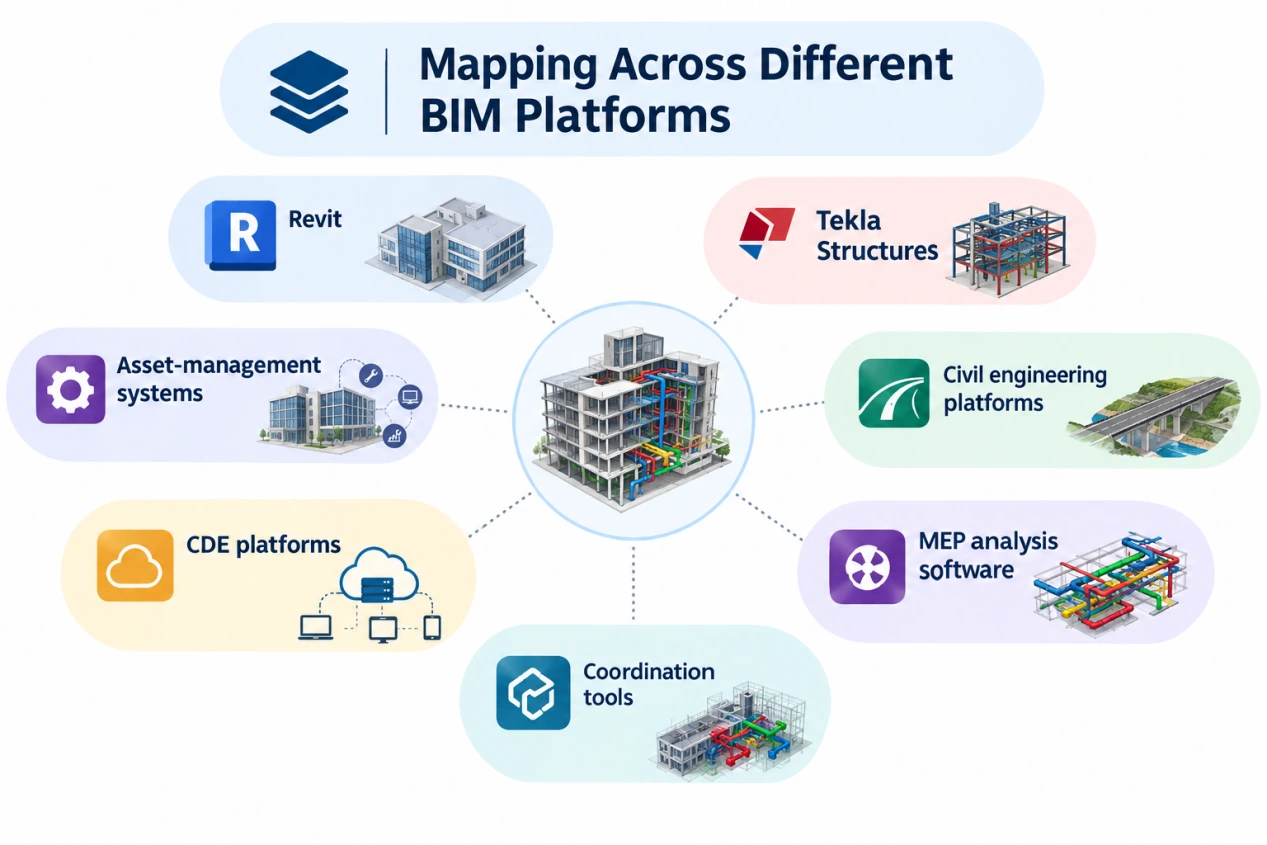
Parameter mapping becomes particularly important when different software platforms are involved.
A multidisciplinary project might contain information created across:
- Revit
- Tekla Structures
- Civil engineering platforms
- MEP analysis software
- Coordination tools
- CDE platforms
- Asset-management systems
Each environment can structure information differently.
Open standards such as IFC can support interoperability, but successful information exchange still depends on how data is structured and interpreted.
Moving geometry from one platform to another is only part of the challenge.
The real question is whether the meaning of the information survives the transfer.
Parameter Mapping Should Start Early
A common mistake is to think about mapping only when the final deliverable is required.
By that stage, thousands of elements may already exist.
Changing the information structure late in the project can require extensive manual corrections, scripts, or model audits.
A better approach is to define important information requirements before significant modeling begins.
This allows teams to understand:
What information is required?
Who creates it?
Where is it stored?
Who validates it?
Where does it go next?
Mapping and BIM Quality Control
Parameter mapping should also become part of BIM QA/QC.
A model review should not only ask whether the geometry is correct.
It should also check whether required information exists and whether it follows the expected structure.
For example:
Parameter exists → Pass
Parameter missing → Flag
Wrong data type → Flag
Invalid value → Flag
Duplicate information → Review
This makes information quality measurable rather than relying entirely on manual inspection.
Parameter Mapping and COBie
Parameter mapping becomes especially important when BIM information is being prepared for structured handover.
COBie, for example, requires specific information about assets, spaces, systems, components, and other project data.
A better approach is to consider the downstream information requirement during model development.
Handover data should not be invented at handover.
It should be developed throughout the information lifecycle.
A Better Mapping Workflow
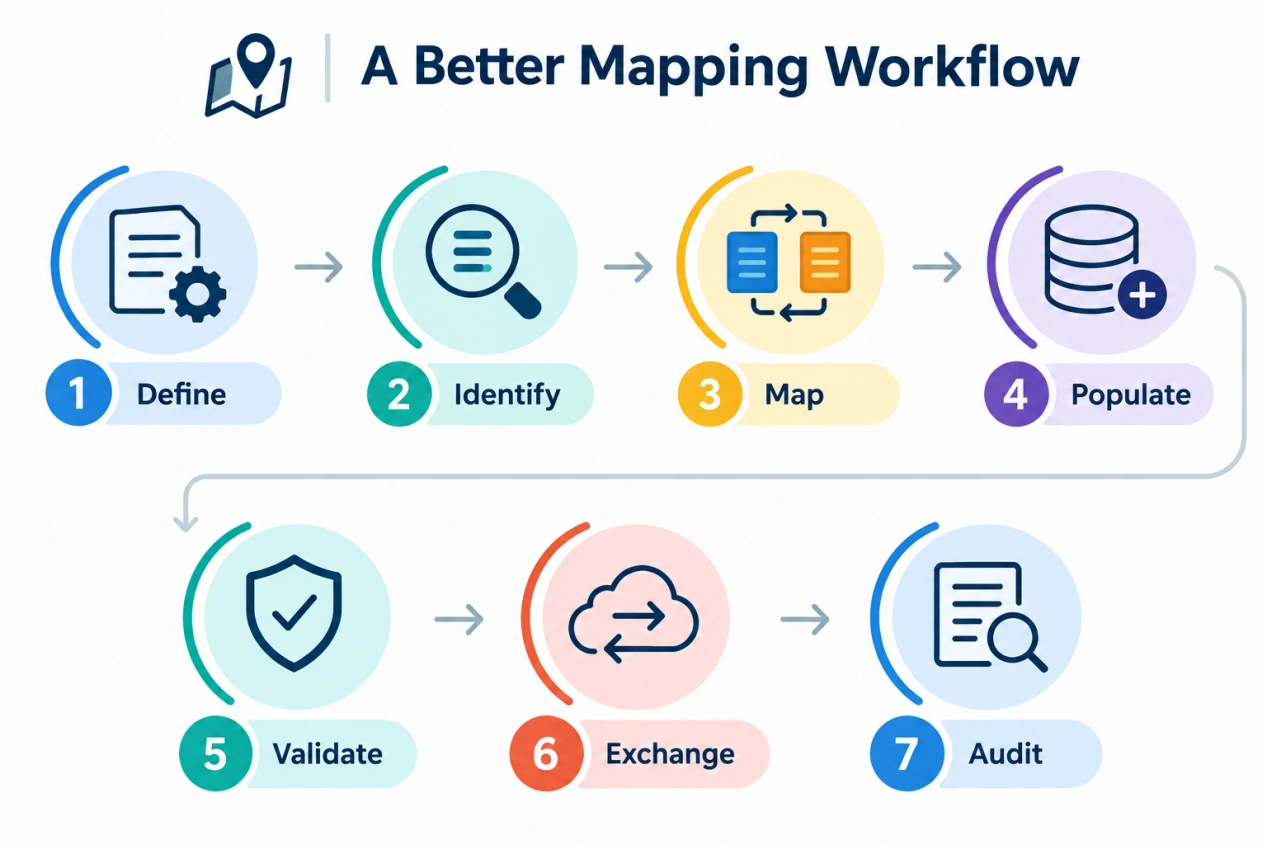
A practical parameter-mapping workflow can follow:
Define → Identify → Map → Populate → Validate → Exchange → Audit
Define
Determine what information the project requires.
Identify
Find where that information currently exists.
Map
Create relationships between source and destination parameters.
Populate
Ensure required values are entered consistently.
Validate
Check data types, values, completeness, and standards.
Exchange
Transfer information to the next platform or workflow.
Audit
Confirm that the information retained its intended meaning.
Final Takeaway
Poor mapping can affect automation, schedules, coordination, interoperability, quantity workflows, and handover. Good mapping creates consistency that allows information to move from one project stage to another without losing its purpose.
It is making sure that the right information reaches the right workflow, in the right structure, with the right meaning.
In BIM, a small data mismatch rarely stays small for long.